Composer Interface
Composer is an HTTP request construction tool provided by Whistle. It can be used to quickly create, modify, and send custom requests. Its main purpose is to quickly edit captured data and simulate requests, meeting the needs of quickly locating interface issues during joint debugging.
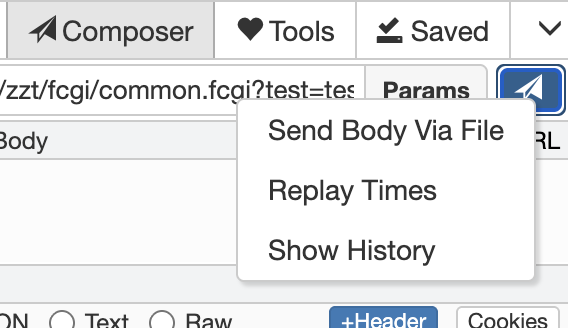
Right-click the send button:
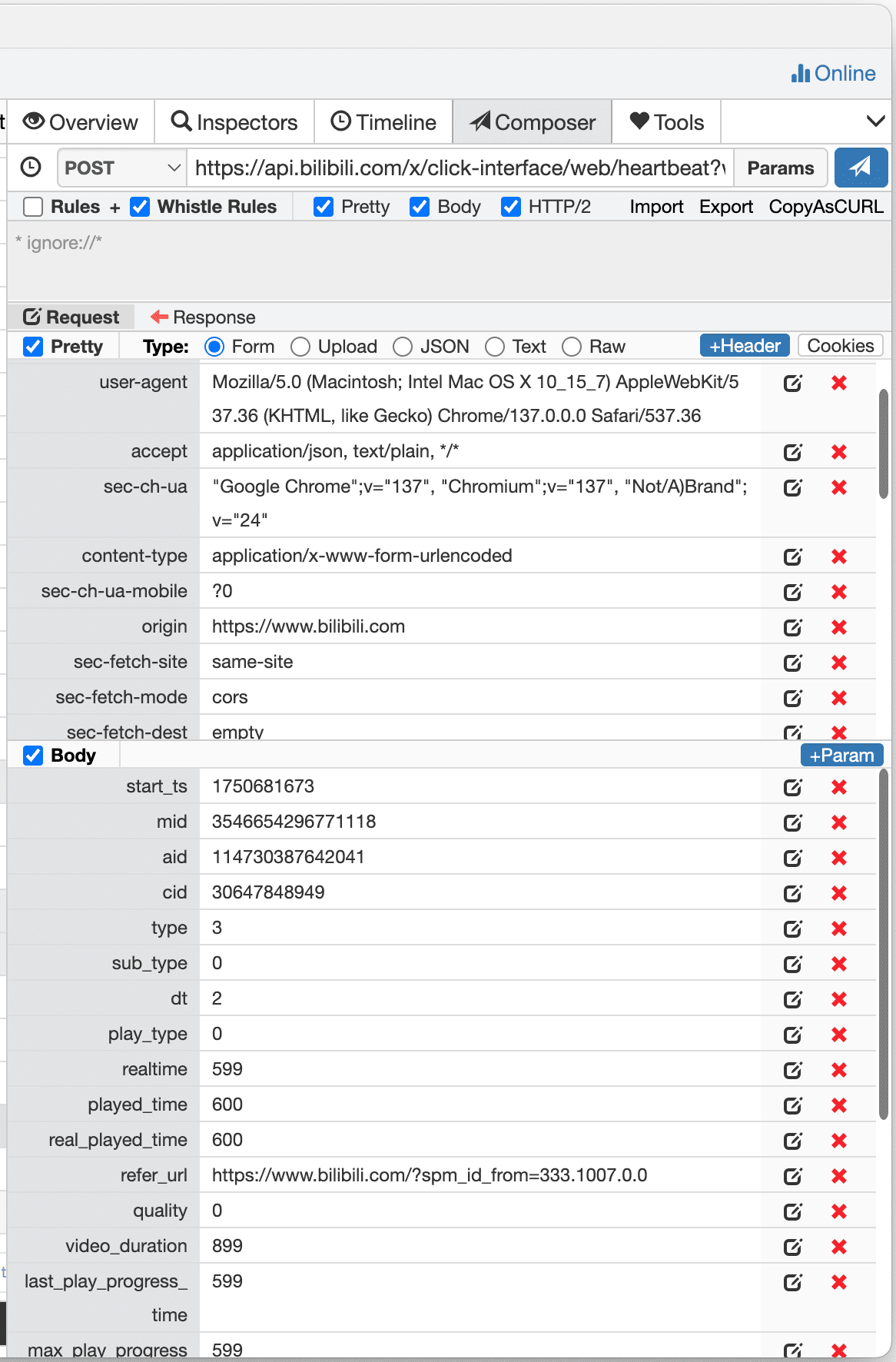
| Component | Function |
|---|---|
| History Button | Show or hide history |
| Select Method | Select the request method, supporting various methods such as GET/POST/PUT |
| URL Input Box | Edit or input the request URL |
| Params | Add, modify, or delete request parameters |
| Send Button | Execute the current request |
| Send Body Via File | Load request content from a local file for sending large request content |
| Replay Times | Set the number of replays, up to 100 times |
| Show History | Show history, same function as the icon button on the left |
| Rules | Whether to enable the rules in the input box below |
| Whistle | Whether to enable the rules configured in Whistle |
| Pretty | Format and display content |
| Body | Whether to include the request body (methods like GET/HEAD/OPTIONS will automatically ignore the request body) |
| HTTP/2 | Whether to use the HTTP/2 protocol |
| Import | Import request data |
| Export | Export request data |
| AsCURL | Generate executable cURL commands |
| Rule Input Box | Custom rules, only effective for the currently constructed request |
| Request Headers | Custom request headers |
| Request Content | Custom request content |
Saving Request/Response Data
- Automatically saved to Composer history when sending (up to 64 records saved)
- Right-click the captured data in the packet capture list and click Save to save